From the Hindi kosh (कोश): a treasury

Your personal treasury for everything worth reading.

Save articles, images and PDFs from anywhere. Read them later, even offline. Everything stays on your device and in your own Google Drive.

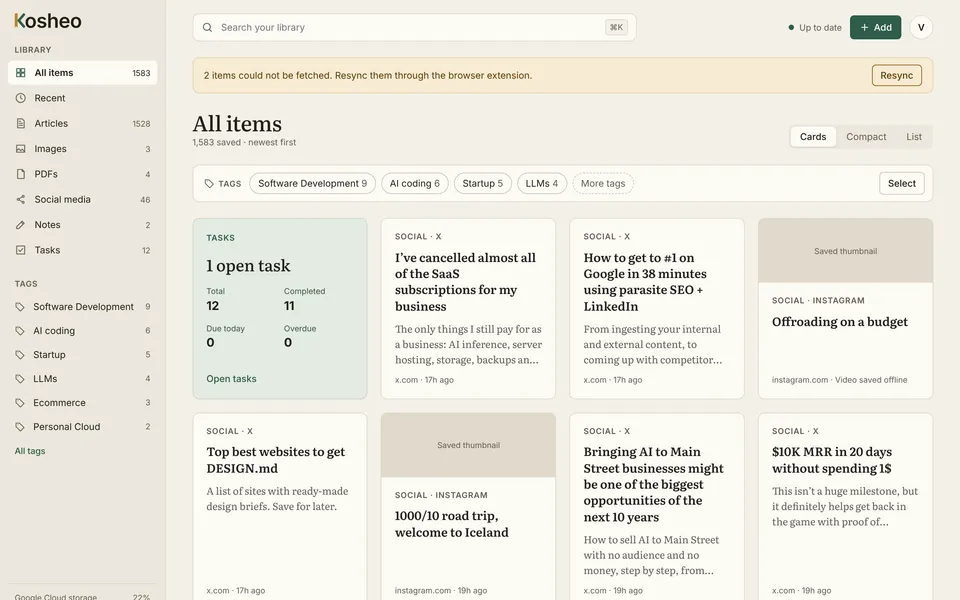
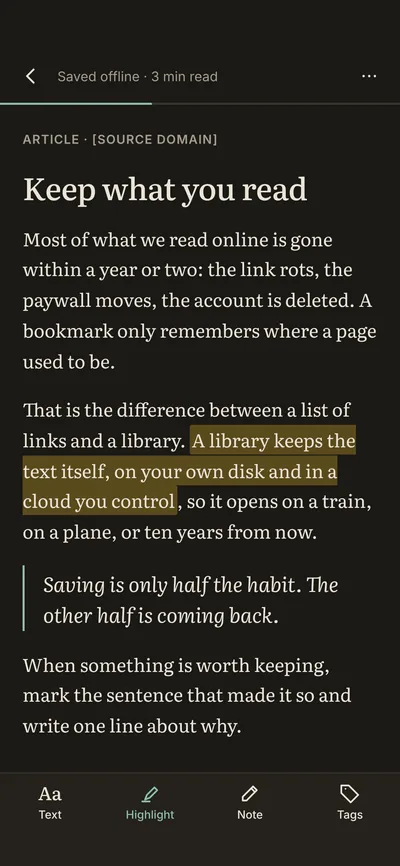
The Kosheo library on a laptop shows saved articles, social posts and a tasks card; the phone shows a saved article in the Night reader theme with a highlighted passage.

Your data never leaves your control.

  • Local-firstYour library lives on your device, not on someone else's server.
  • Works offlineRead on a plane, a train or anywhere the signal drops.
  • In your Google DriveSynced through your own account, under your name.
  • No ads, no trackingWe sell an app, not your attention.

How it works

Three steps, and none of them is “organise later.”

  1. Step 1

    Save

    One click in the Chrome extension, or Share → Kosheo on Android. Kosheo keeps a full copy of the page, not just the link.

  2. Step 2

    Read

    Open it in a clean reader with Paper, Sepia or Night themes. No pop-ups, no cookie banners, no connection needed.

  3. Step 3

    Find

    Search everything you've saved, filter by tag, and gather related pieces into collections. That article from March is seconds away.

Features

Everything you keep, in one calm place.

Articles, images, PDFs, posts, notes and tasks share one library, one search and one quiet design.

Full-page snapshots

The page you saved is the page you'll get.

Links rot. Paywalls move. Accounts get deleted. When you save with Kosheo, the extension captures a complete copy of the page, with its text, images and layout, right in your browser. Years from now it still opens, even if the original is gone.

  • Captured on your own machine, not on our servers
  • Opens instantly, with or without a connection
  • “Open original” is always one click away
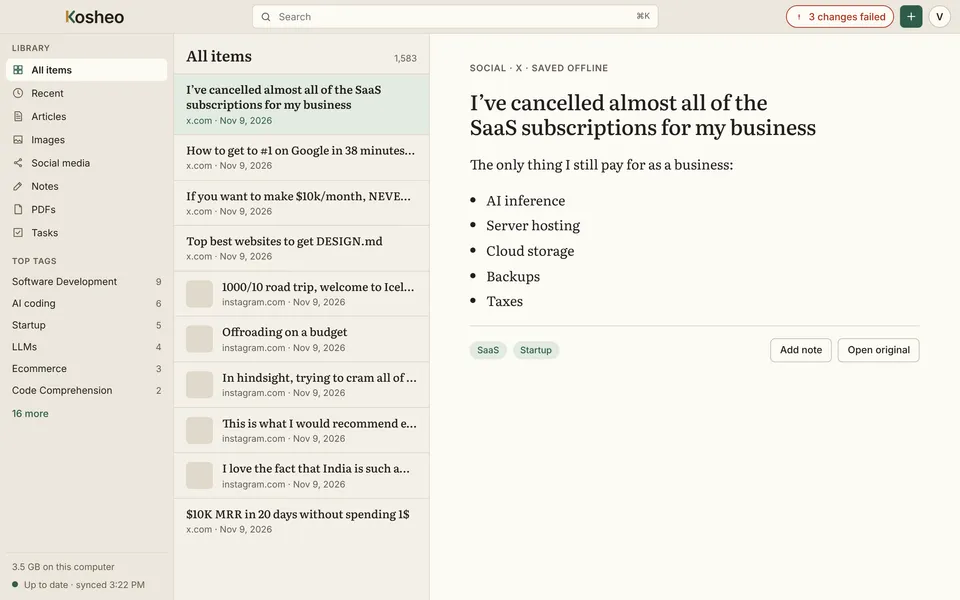
Kosheo desktop app with a list of saved items and an article marked “Saved offline” open on the right.

Reader mode

Made for long reading, not quick scrolling.

Kosheo sets every saved article in Literata at a comfortable line length, with generous spacing and nothing competing with the words. Choose Paper for daylight, Sepia for long sessions, or Night for reading in bed, and adjust the size until it feels right.

  • Paper, Sepia and Night themes
  • Highlights that stay with the article
  • Estimated reading time on every piece
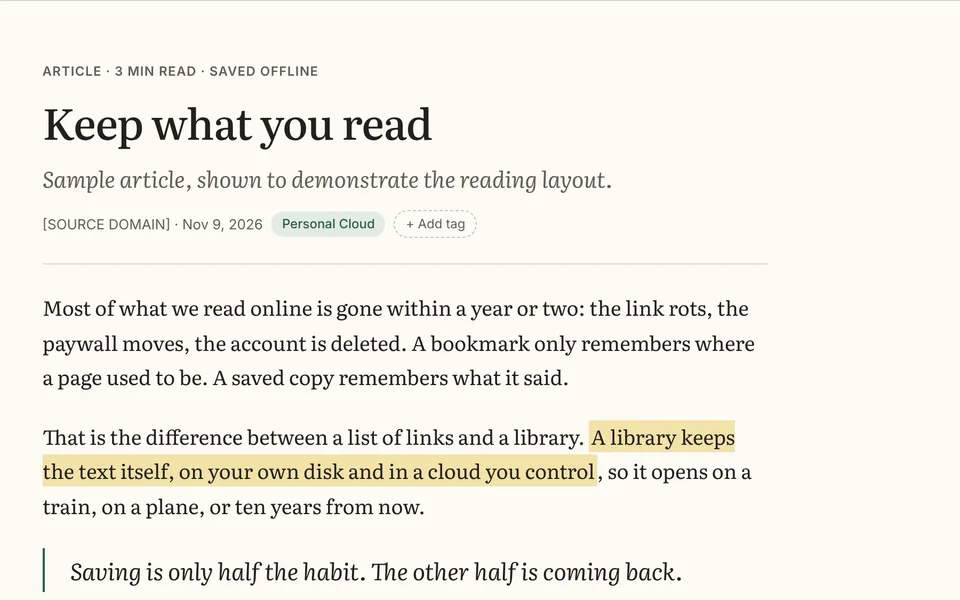
A saved article in the Kosheo reader, set in a serif typeface at a comfortable line length, with one sentence highlighted.

Images and boards

A board for everything that caught your eye.

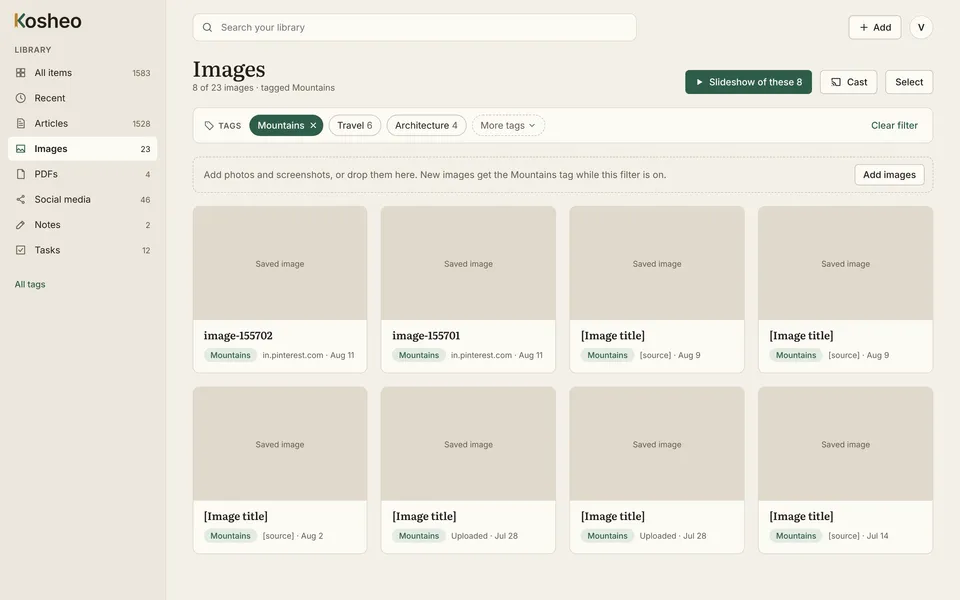
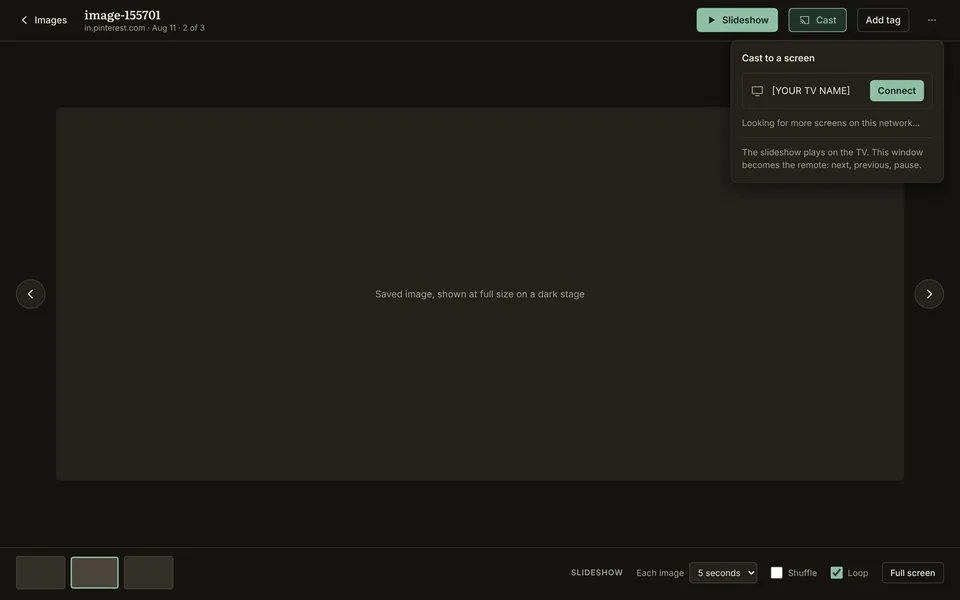
Save images from Pinterest, Instagram or any page, or drop in your own screenshots. They land in a calm grid you can filter by tag. Press Slideshow to play a set full screen, or cast it to your TV and turn the living room into a mood board.

  • Pinterest-style grid, filtered by tag
  • Slideshow with shuffle, loop and timing
  • Cast to a TV on your network
Kosheo Images view: a grid of saved images filtered by the Mountains tag, with Slideshow and Cast buttons.

Social media

Keep the reel, not just the link.

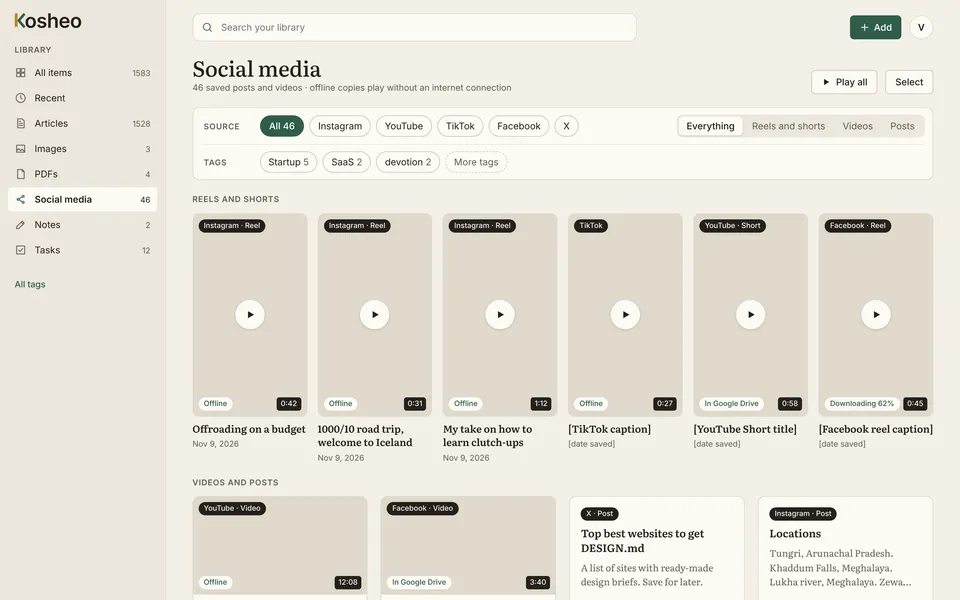
Save posts, reels and shorts from Instagram, YouTube, TikTok, Facebook and X. The desktop app downloads videos through your own signed-in browser, so they play offline long after the post has been taken down.

  • Filter by platform: reels, videos or posts
  • Play everything in one quiet player
  • Videos stored with the rest of your library
Kosheo Social media view with saved reels and shorts from Instagram, TikTok, YouTube and Facebook, each marked as available offline.

Notes and sketching

Write it down beside what you read.

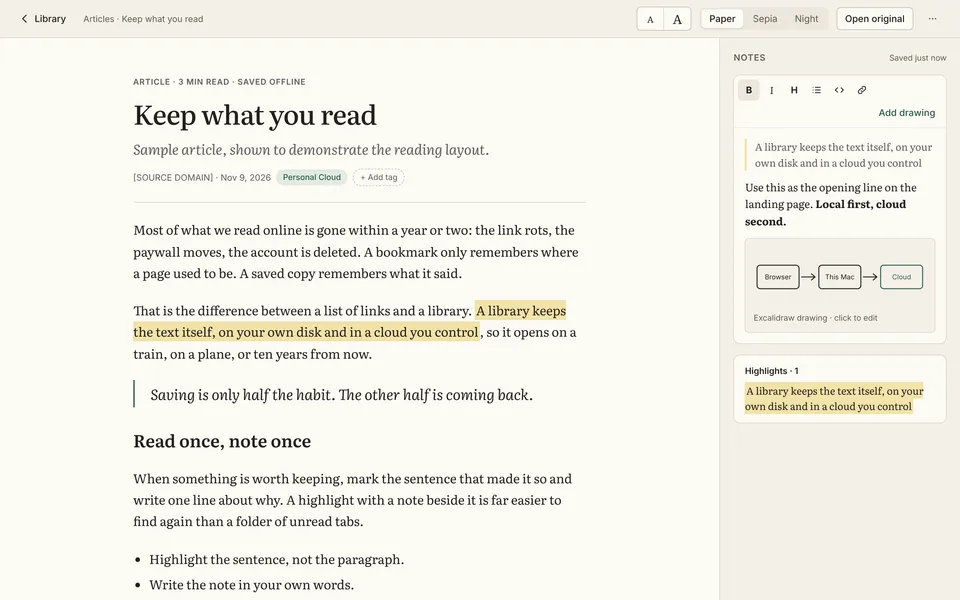
Highlight a passage and add a note right next to it, or start a blank page with headings, lists, links and code. When words aren't enough, open the whiteboard and sketch the idea out.

  • Rich-text editor that stays out of the way
  • Hand-drawn diagrams inside any note
  • Highlights collected under each article
An article in the Kosheo reader with a notes panel beside it containing formatted text, a small sketched diagram and a list of highlights.
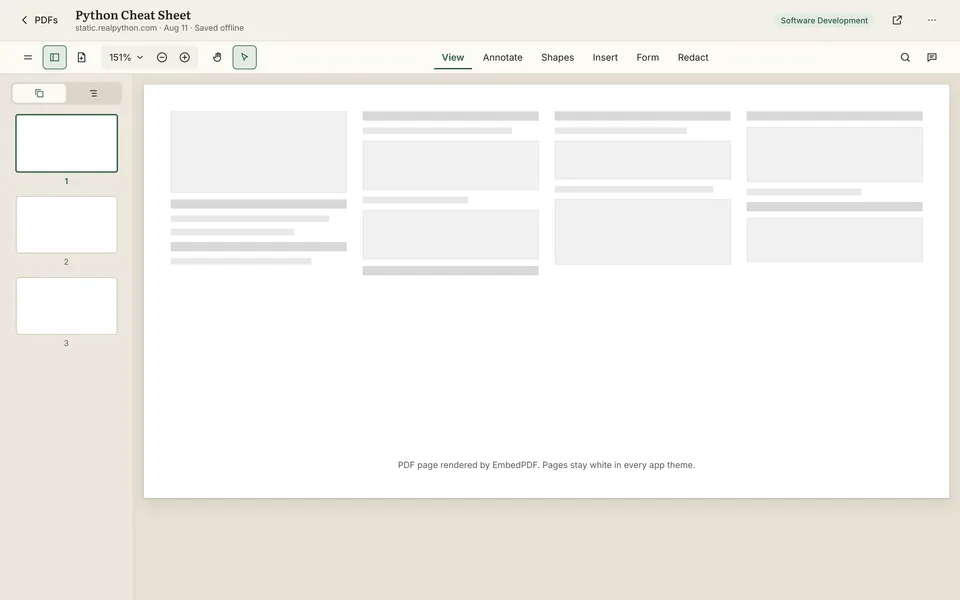
The Kosheo PDF viewer with page thumbnails on the left and View, Annotate and Shapes tools along the top.

Built-in PDF viewer

PDFs, without another app.

Open papers, manuals and receipts in a fast viewer with thumbnails, zoom, search and annotation. Pages stay white and crisp in every theme.

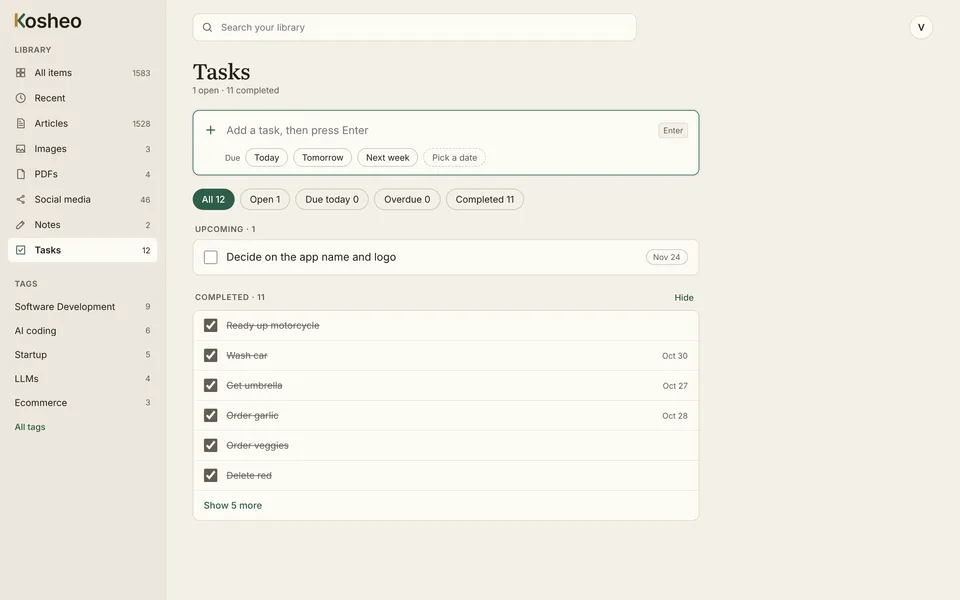
Kosheo Tasks: a single input to add a task with Today, Tomorrow and Next week shortcuts, and a list of upcoming and completed tasks.

Quick tasks

Tasks, Google Tasks-simple.

Type it, press Enter, done. Pick today, tomorrow or a date, then tick it off. Add one from the browser extension without leaving the page you're on.

Private by design

Private by design, not by promise.

Your pages, images, PDFs, videos and notes live on your device and in your own Google Drive. Our servers hold only the minimal metadata needed to keep your devices in step. The content itself never passes through us.

  • Content stored on your device and in your Drive
  • No ads and no trackers in the app
  • Clear sync status, with retry when something fails

Sync

One library on every screen you use.

Save on your laptop, read on your phone, add a note from the browser. Kosheo keeps the desktop app, the Android app and the Chrome extension in sync through your Google Drive, and keeps working offline in between.

  • Desktop, Android and Chrome, one library
  • Changes made offline sync when you're back
  • The extension pairs with the desktop app

Platforms

Wherever you read, Kosheo is there.

Start on any one of them. Your library follows you to the rest.

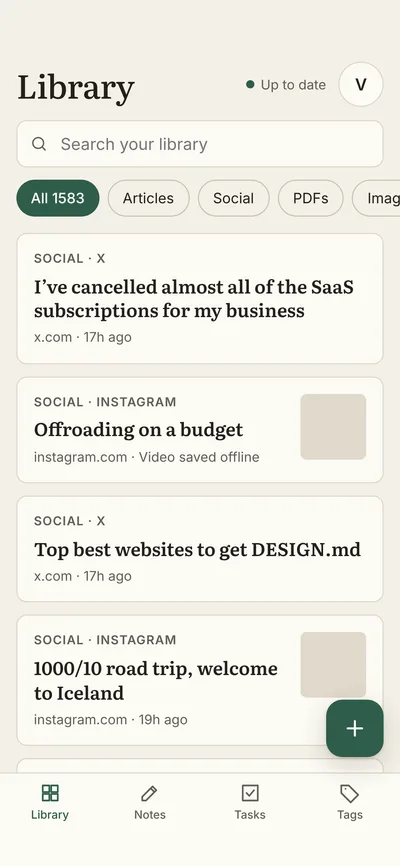
Kosheo for Android showing the library with search, filters and saved posts.

Android

Save from any app with the share sheet, then read on the go, connected or not. Big, comfortable touch targets throughout.

Get it onGoogle Play
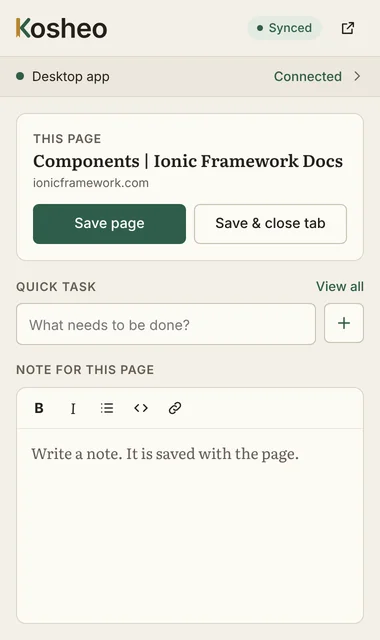
The Kosheo Chrome extension popup with Save page, a quick task field and a note for the current page.

Chrome extension

Save the page you're on in one click. Add a quick task or a note for the page without leaving the tab.

Free · Chrome Web StoreAdd to Chrome
Coming soon

iPhone and iPad

Kosheo for iOS is in the works. Leave your email and we'll write once, when it's ready.

Readers on Kosheo

From people who read with Kosheo.

[Testimonial quote]

[Name, Role]

[Testimonial quote, a longer one. Two or three sentences work well here.]

[Name, Role]

[Testimonial quote]

[Name, Role]

[Testimonial quote, a longer one. Two or three sentences work well here.]

[Name, Role]

[Testimonial quote]

[Name, Role]

[Testimonial quote, medium length.]

[Name, Role]

Pricing

Start free. Upgrade when your library grows.

Whatever plan you're on, your library stays yours: on your device and in your Drive.

Compare plans in detail
Feature comparison across Kosheo plans

FAQ

Questions, answered.

Something we missed? Write to us at hello@kosheo.com.

Where is my data stored?

On your device first, and in your own Google Drive. Saved pages, images, PDFs, videos and notes are kept locally so they open instantly, and synced through your Drive so they reach your other devices. Our servers keep only the minimal metadata needed for sync, never the content itself.

Does it work offline?

Yes. Everything you save is stored on your device, so you can read, search, write notes and tick off tasks with no connection at all. Anything you change offline syncs the next time you're online.

What happens if I cancel Pro?

You keep everything you've saved. Your library stays on your device and in your Google Drive, and your account moves to the Free plan at the end of the billing period. [Describe what changes on Free, e.g. sync limited to one device, new saves above X items paused.]

Do I need a Google account?

Yes, for now. You sign in with Google so Kosheo can keep your library in your own Google Drive. We plan to support other storage providers later.

Which browsers are supported?

The extension runs in Google Chrome and in other browsers that install extensions from the Chrome Web Store, such as Microsoft Edge and Brave. Firefox and Safari aren't supported yet.

Is there an iOS app?

Not yet, but it's on the way. Leave your email and we'll let you know the day it's ready.

Is Kosheo free?

Kosheo has a Free plan with the reader, the extension and full-page snapshots. Pro adds unlimited saves and sync across all your devices. See pricing for the details.

What does “Kosheo” mean?

It comes from the Hindi kosh (कोश): a treasury, the place where valuable things are kept. Kosheo is a treasury for the things you read. That's also why the K in our logo is a bookmark ribbon.

Start building your Kosh today.

Free to download. Set up in a minute. Yours for good.